SIRIUSDYNAMICS TECHNOLOGY
Home / Visus Pro 16.5 / Capture modules

IMAGE CAPTURE · VISUS PRO 16.5

USB video capture modules Wi-Fi and CVBS converter.

Two modules for different video sources: a Wi-Fi link for USB UVC cameras or conversion of analog CVBS video to USB. The choice starts with your equipment's signal and connectors.

Compatibility depends on the camera, signal type, connectors, Windows version and video configuration. Check these details before purchasing.

2 pathsUSB UVC or CVBS video
Technical dataDatasheet specifications
CompatibilityChecked per device
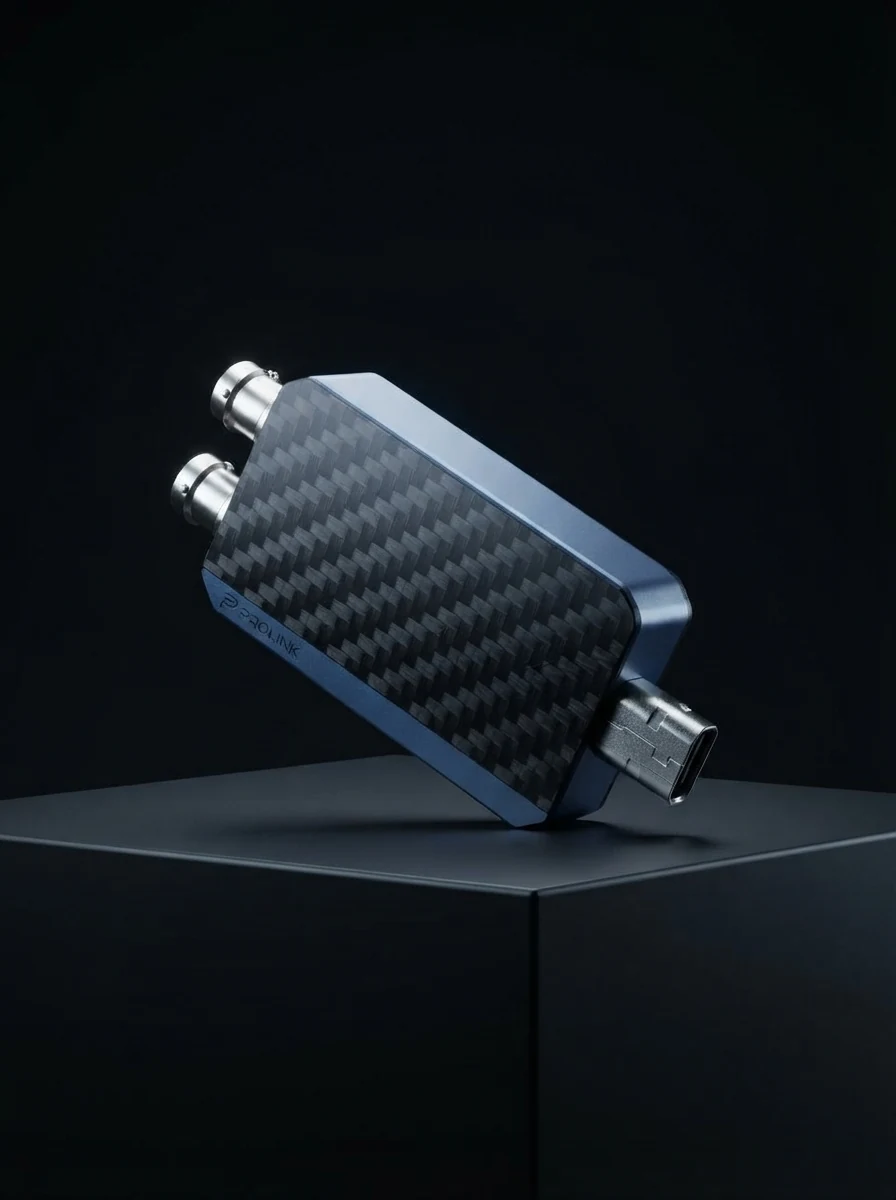
Analog video capture module supplied for this presentation
CVBS→ USB
Wi-Fi module for connecting a USB UVC camera
USB UVC→ Wi-Fi

CHOOSE BY SIGNAL TYPE

Two modules.
Different functions.

One connects a compatible USB camera to the module's own Wi-Fi network. The other converts an analog CVBS video signal into a USB UVC source for the computer.

WFM01 · WI-FI MODULE FOR USB

Take USB camera video to a local wireless connection.

The WFM01 accepts UVC-compatible USB video devices and streams video over the module's own Wi-Fi network. According to the datasheet, no internet or local router is required.

  • InputCompatible USB 2.0 UVC devices
  • ViewingVideo stream over local Wi-Fi
  • Stated imageVGA at 30 fps, depending on the camera
  • Stated latencyLess than 0.5 second
  • Stated rangeOver 10 m in open space
  • ViewersMore than one user can watch the stream

Values according to the WFM01 datasheet; performance and compatibility depend on the camera and environment. To use it with Visus, confirm the stream URL and HTTP/MJPEG mode.

Ask about the WFM01
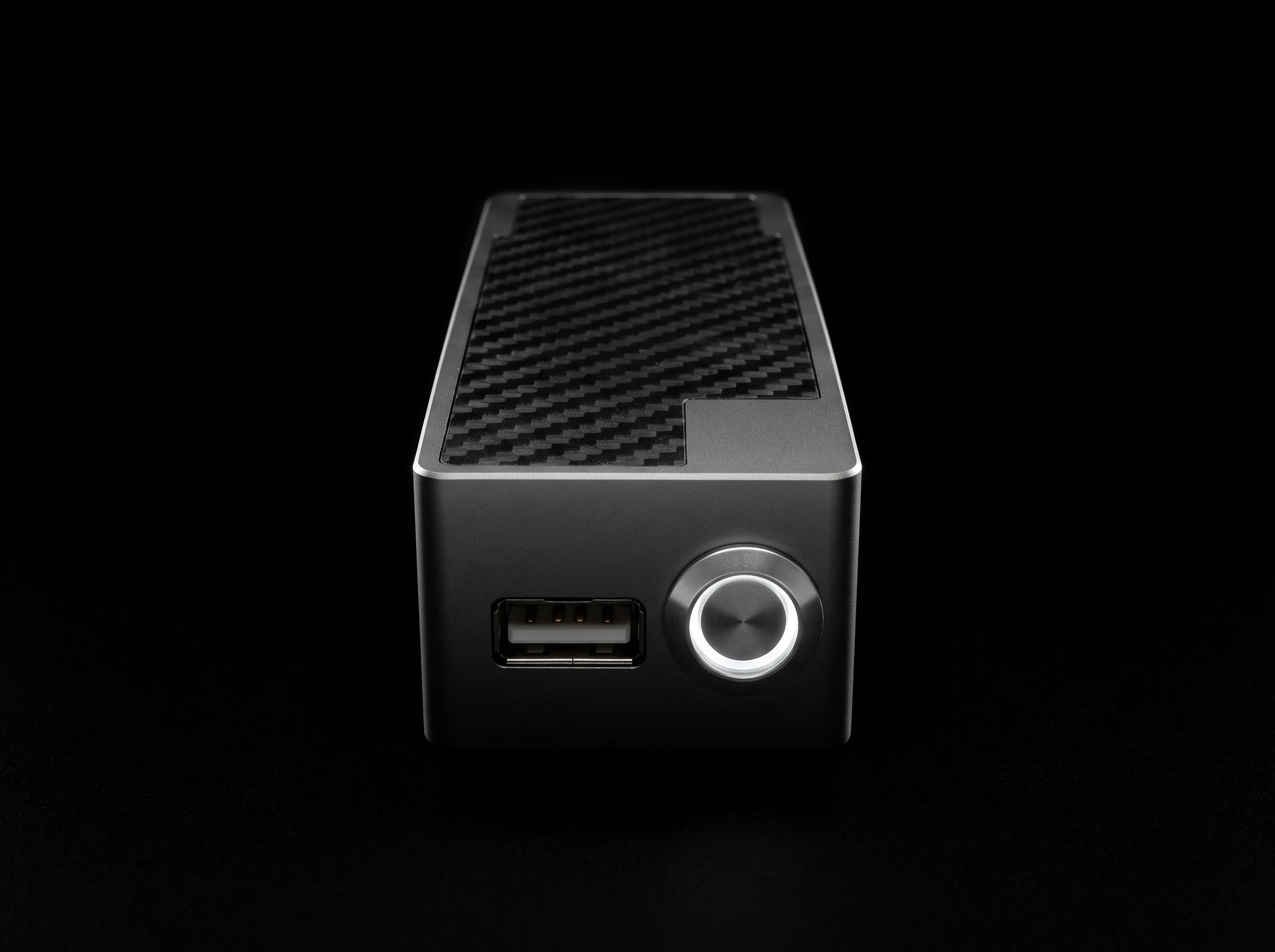
WFM01 module for local video streaming from a USB UVC camera
Wi-Fi module image
C8205 · CVBS TO USB UVC CONVERTER

Convert an analog signal into a USB input for the computer.

The C8205 accepts CVBS composite video and is recognized by the computer as a USB 2.0 UVC device. The video can then be selected as a camera source, subject to system and software compatibility.

  • Input signalCVBS composite analog video
  • Output formatUSB 2.0 UVC
  • Described connector3.5 mm jack on the C8205 datasheet
  • DetectionAutomatic PAL / NTSC
  • PAL resolution720 × 576
  • NTSC resolution720 × 480
  • PowerVia the computer's USB port

The C8205 datasheet describes CVBS input via a 3.5 mm jack and a USB connection to the computer. The image is a visual reference; confirm the housing and connectors of the unit offered. The datasheet states plug-and-play for Windows XP/7 and does not confirm current versions. Conversion does not increase the original resolution.

Ask about the C8205
Module for converting analog video into a USB signal
Reference image of the analog capture module

HOW THE SIGNAL REACHES THE SOFTWARE

Identify the output.
Choose the path.

The module converts or transmits the video. Visus organizes the capture and documentation of the exam; the integration must match the input available on your equipment.

01 · EQUIPMENT

Camera or video source

Check whether the output is USB UVC or analog CVBS video and identify the connector.

02 · MODULE

Wi-Fi or USB conversion

WFM01 for USB UVC cameras; C8205 for analog CVBS signals converted to USB.

03 · SOFTWARE

Source in Visus Pro 16.5

Select the USB device or configure the HTTP/MJPEG source after validating the stream.

The modules carry or convert the image signal. They do not diagnose, do not change the clinical result and do not guarantee higher resolution.

BEFORE YOU CHOOSE

Let's check whether the module matches your equipment.

Send us the details of your camera or analog source. Sirius can check the connection path and guide validation with Visus before you order.

  • Brand and model of the camera, endoscope or video source
  • A clear photo of the available connectors
  • Signal type: USB UVC or analog CVBS video
  • Windows version and preferred connection mode
  • If you already use Visus, tell us which video source you plan to configure

FREQUENTLY ASKED QUESTIONS

Capture modules
and compatibility.

Does the WFM01 module need internet?

No, according to the datasheet. The WFM01 creates its own Wi-Fi network with an individual SSID. The computer or viewing device must connect to that network to access the video.

Does the WFM01 work with any USB camera?

The datasheet states support for most UVC-compatible USB 2.0 devices. “Most” does not mean all: confirm the camera model and stream format before purchasing.

Does the C8205 convert any analog camera?

The C8205 described in the datasheet accepts a CVBS signal via a 3.5 mm jack and detects PAL or NTSC. Confirm that your equipment's output and the unit's connectors match.

Are the modules compatible with Visus Pro 16.5?

Visus works with USB, HTTP Snapshot and MJPEG sources. Connecting the C8205 depends on the computer recognizing the UVC source; for the WFM01, the URL and HTTP/MJPEG stream must be validated. The exact configuration should be checked for the camera, Windows version and installation used.

Does the C8205 work on Windows 10 or 11?

The documentation received states plug-and-play for Windows XP and Windows 7, but does not confirm Windows 10 or 11. Please request validation of your current Windows version and equipment before purchasing.

Does conversion improve image resolution?

No. The converter presents the CVBS signal as a USB UVC output and states 720 × 576 for PAL or 720 × 480 for NTSC. It does not create detail beyond the original signal.

CHOOSE WITH CONFIDENCE

Send us your equipment model. We'll check the right imaging path.

A quick check of the signal and connectors helps you choose between the Wi-Fi module and the CVBS to USB converter.

Talk to Sirius
WhatsApp